Top 8 Product Experience Tools Worth Trying in 2026

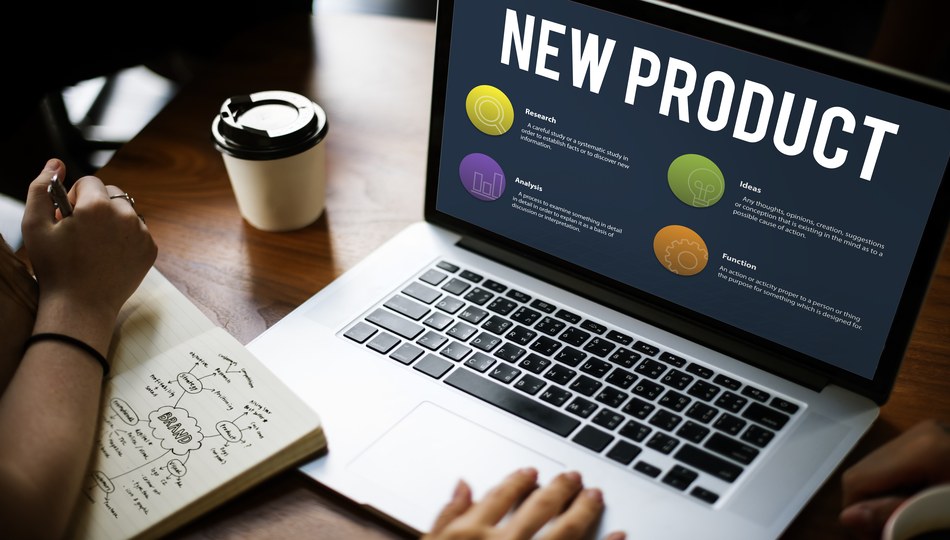
Knowing what someone did inside your product is a different job from knowing why they did it, and both are different again from getting them to do it in the first place. A session replay shows you the moment someone rage-clicked a broken button. A product analytics platform shows you that 30% of new users never reach that screen at all. An onboarding tool is what you build once you know which screen needs fixing. Three different jobs, three different kinds of software.
This list covers 8 of the best product experience tools across those areas: usability research, web session replay, event-based product analytics, and onboarding or digital adoption. Each entry explains what the tool does, what it costs, and who it's built for, so you can go straight to the ones worth a real trial.
How We Evaluated These Tools
We applied criteria that reflect what actually separates a useful product experience tool from a crowded feature list:
-
A clearly defined job the tool is built around, not a generic "product platform" claim
-
Public or verifiable pricing, features, and company details rather than marketing copy alone
-
Active development and a real customer base, not an abandoned or rebranded product
-
Genuine differentiation from the two or three closest competitors in its own sub-category
-
Fit for teams doing this work in-house, not agency-only or invite-only tools
-
A track record with named customers, reviews, or case studies that can be checked
None of these vendors paid for placement or review — this is a purely informational comparison for teams evaluating tools in this space.
Product Experience Tools at a Glance
| # | Tool | Best For |
|---|---|---|
| 1 | Maze | Fast, affordable unmoderated usability testing from Figma prototypes |
| 2 | Mouseflow | Website session replay, heatmaps, and friction detection |
| 3 | FullStory | Web session replay combined with deeper funnel and segmentation analytics |
| 4 | Amplitude | Event-based product analytics at enterprise scale |
| 5 | Pendo | Combined analytics, in-app guidance, and feedback in one platform |
| 6 | Product Fruits | Budget-friendly in-app onboarding, help centre, and NPS in one |
| 7 | Chameleon | Highly customizable, design-controlled in-app product tours |
| 8 | WalkMe | Enterprise digital adoption across large, complex application stacks |
The 8 Best Product Experience Tools
1. Maze
Maze turns Figma, Sketch, or Adobe XD prototypes into unmoderated usability testing tools in minutes, giving design and product teams a fast, self-serve alternative to booking a full research engagement. Testers complete tasks inside the actual prototype while Maze automatically tracks misclicks, time-on-task, and drop-off points, then rolls the results into a shareable report with a quantifiable usability score. Because there's no procurement cycle or sales call required to get started, a designer can go from a finished prototype to real user data on the same afternoon.
| Maze | |
|---|---|
| Category | Rapid unmoderated usability testing |
| Best for | Designers and PMs who want quick, self-serve usability feedback on prototypes without a sales process |
| Pricing | Free plan available; Starter around $99/month; Organization tier around $399/month; enterprise plans average roughly $73,000/year |
| Standout | Native Figma integration that turns a prototype link into a running test in minutes |
Strengths: No procurement cycle for smaller teams means research can happen the same day a prototype is ready, not weeks later. Supports tree testing, card sorting, and prototype testing in one tool, so a team doesn't need separate subscriptions for each research method. Used by IBM, Greenpeace, Accenture, and BMW, showing the tool scales past just early-stage startups.
Consider if: You need a large vetted participant panel or white-glove enterprise research support, since Maze is built for speed and self-service rather than managed research programs. Teams recruiting their own participants get the most value; those without a way to reach real users will need to pair it with a recruiting add-on.
2. Mouseflow
Mouseflow is one of the more established session replay software and heatmap software options on the market, combining recordings with seven types of heatmaps, funnel analysis, and form analytics, plus automatic "friction score" flagging so teams don't have to watch every recording to find the ones that matter. Each recorded session gets scored based on signals like rage clicks, U-turns, and error clicks, so a CRO or support team can jump straight to the sessions worth reviewing instead of scrubbing through hours of footage. Form analytics goes a level deeper, showing exactly which fields cause hesitation or abandonment inside a signup or checkout flow.
| Mouseflow | |
|---|---|
| Category | Website session replay and behaviour analytics |
| Best for | Marketing, CRO, and web teams diagnosing drop-off and conversion issues on websites |
| Pricing | Free plan (500 sessions/month); paid plans from roughly $25–$319/month |
| Standout | Records 100% of sessions by default rather than sampling, and unlimited users on every plan |
Strengths: Automatic friction detection surfaces the sessions worth watching first, saving hours of manual review. Records 100% of sessions by default rather than sampling a subset, so nothing gets missed by chance. GDPR- and CCPA-compliant by design, with automatic masking of sensitive form fields, and pricing is public and predictable with no per-seat charges.
Consider if: You need deep quantitative product analytics alongside replay, since Mouseflow is a session replay and heatmap tool first, not an event-based analytics platform like Amplitude. Teams wanting both usually run Mouseflow for the "why" and a dedicated analytics tool for the "what" side by side.
3. FullStory
FullStory combines pixel-perfect session replay with funnel analytics, search, segmentation, and broader user behavior analytics in one platform, positioning itself less as a heatmap tool and more as a full digital experience intelligence (DXI) platform. Every click, tap, and scroll is captured and indexed, so teams can search across millions of sessions for a specific error message or rage-click pattern instead of relying only on pre-built dashboards. It's built to scale to enterprise event volumes, with some large customers processing roughly 20 million events a day through the platform without losing query speed.
| FullStory | |
|---|---|
| Category | Web session replay and digital experience analytics |
| Best for | Product and engineering teams that want session replay and quantitative analytics combined, without stitching two tools together |
| Pricing | Custom, quote-based; typically $300–$1,000+/month depending on seats, sessions, and data retention |
| Standout | Automatic rage-click and error detection layered directly onto searchable, segmentable session data |
Strengths: Integrates with Amplitude and Segment, so session-level detail can sit alongside a team's existing analytics stack rather than replacing it. Documented adoption across ecommerce, fintech, and SaaS suggests it holds up across different transaction-heavy use cases. Automatic rage-click and error detection means teams get pointed to problem sessions without manually setting up funnels first.
Consider if: Budget is a constraint, since FullStory is priced meaningfully above lighter session-replay tools like Mouseflow for comparable session volumes, and pricing isn't published anywhere on its site. Teams should expect a sales conversation and a quote tailored to seats, sessions, and retention rather than a self-serve checkout.
4. Amplitude
Amplitude is event-based product analytics software used for funnels, retention, segmentation, and cohort analysis, and one of the two most established standalone platforms in this category. Every user action gets tracked as a discrete event, which teams can then slice into funnels showing exactly where users drop off, or cohorts showing how retention differs between user segments over time. Its newer AI Assistant lets teams ask questions about their data in plain language and get a chart back, rather than building a query manually every time.
| Amplitude | |
|---|---|
| Category | Event-based product analytics |
| Best for | Product teams needing deep behavioural cohort analysis and governance at enterprise event volumes |
| Pricing | Free Starter plan; Plus from around $49/month; Growth and Enterprise custom-quoted |
| Standout | An AI Assistant and agentic analytics layer added in 2026, alongside enterprise-grade data governance tooling |
Strengths: Public company status (Nasdaq: AMPL) with a large enterprise customer base gives it more financial stability and roadmap visibility than many private analytics vendors. Deep segmentation and experimentation features support serious A/B testing programs, not just basic reporting. Broad integrations with major CDPs and warehouses mean it fits into an existing data stack rather than becoming an isolated silo.
Consider if: You need qualitative context alongside the numbers, since Amplitude tracks and analyzes events but doesn't natively record sessions the way Mouseflow or FullStory do. Most teams that rely heavily on Amplitude for the "what" still keep a session replay tool around for the "why."
5. Pendo
Pendo combines product analytics, in-app guidance, session replay, and customer feedback into a single product experience platform, under what it calls a Software Experience Management (SXM) category, rather than requiring separate tools for each job. Because analytics and guides run off the same underlying data, a team can spot a drop-off in the funnel and launch a targeted in-app guide addressing it without exporting data between tools. Its retroactive analytics also mean a team doesn't lose historical usage data while deciding what to track, since Pendo captures everything from the day the snippet goes live and lets teams define events after the fact.
| Pendo | |
|---|---|
| Category | Combined product analytics, in-app guidance, and feedback |
| Best for | Mid-market and enterprise product teams that want analytics, guides, and feedback under one roof rather than several stitched-together tools |
| Pricing | Free plan up to 500 monthly active users; paid plans are quote-based, commonly starting near $15,000/year and reaching well over $100,000/year at enterprise scale |
| Standout | Retroactive analytics that let teams analyze historical usage data from the day the snippet is installed, plus AI-driven churn prediction (Pendo Predict) |
Strengths: A base of 14,000+ customers across 115 industries suggests the platform has proven itself well beyond early-adopter SaaS companies. SOC 2, GDPR, and HIPAA compliance are built in rather than bolted on, which matters for regulated buyers. It genuinely consolidates jobs that Amplitude, Mouseflow, and Chameleon each handle separately, meaning fewer vendor relationships and one dataset instead of three disconnected ones.
Consider if: You only need one job done well, since Pendo's breadth comes at enterprise pricing that's difficult to justify if analytics or onboarding alone is the actual requirement. Teams evaluating Pendo purely as an analytics tool or purely as an onboarding tool will likely find a cheaper, more focused alternative that does that one job just as well.
6. Product Fruits
Product Fruits is all-in-one, no-code user onboarding software combining product tours, an in-app help centre and knowledge base, NPS surveys, and an AI copilot for building and localizing content quickly. Non-technical team members can build a multi-step onboarding flow, publish a help article, and launch an NPS survey from the same dashboard without filing a single engineering ticket. The AI copilot, called Elvin, can generate a first draft of a product tour directly from existing help documentation, cutting down the time it takes to launch new onboarding content from scratch.
| Product Fruits | |
|---|---|
| Category | User onboarding, in-app guidance, and self-service support |
| Best for | SaaS teams wanting onboarding, help centre, and feedback in one platform without enterprise pricing |
| Pricing | From roughly $79–$111/month depending on monthly active users, scaling through Starter, Pro, and Business tiers |
| Standout | AI Copilot ("Elvin") generates interactive tours directly from existing documentation |
Strengths: Transparent, MAU-based pricing with unlimited team seats means a growing team doesn't get penalized for adding more people to the account, only for adding more monthly active users. It genuinely combines onboarding, help centre, and NPS rather than requiring three separate subscriptions for related jobs. Vendor case studies report measurable activation and churn-reduction results, though as with any vendor-reported number, it's worth validating against your own baseline.
Consider if: You need deep product analytics or session replay alongside onboarding, since Product Fruits reports engagement on its own guides and content but doesn't match dedicated analytics tools like Amplitude on depth. Teams that need rigorous funnel or retention analysis will likely pair it with a separate analytics platform.
7. Chameleon
Chameleon is product adoption software and an in-app engagement platform built around pixel-level design control: tours, tooltips, launchers, and surveys that teams can style to match their product exactly, down to fonts, spacing, and animation, rather than working within a fixed template. Its targeting engine lets teams show different experiences to different user segments based on plan tier, usage behaviour, or account age, and its built-in A/B testing means a new onboarding flow can be validated against the old one before a full rollout rather than shipped on faith.
| Chameleon | |
|---|---|
| Category | In-app onboarding and product adoption |
| Best for | Design-conscious SaaS teams that want full control over how in-app guidance looks and behaves |
| Pricing | Startup plan from around $279/month (up to 2,000 MAUs); Growth and Enterprise tiers scale higher |
| Standout | A/B testing and granular targeting built into the core tour builder |
Strengths: Deep customization via CSS gives design teams a level of control that most no-code onboarding tools don't offer, which matters for companies with a strong brand identity to protect. Integrates with Segment, Amplitude, and Mixpanel, so targeting logic can be based on real behavioural data rather than just static user properties. The HelpBar add-on layers in-app search and AI-answered help queries on top of the core guidance tools, extending it into self-service support territory.
Consider if: Budget is a constraint, since Chameleon is priced meaningfully above budget alternatives like Product Fruits for comparable MAU volumes. The extra cost buys design flexibility and targeting depth that not every team will actually use, so it's worth confirming the use case justifies the premium before committing.
8. WalkMe
WalkMe is an enterprise digital adoption platform (DAP) that overlays an organization's software stack, providing on-screen guidance and automation to help employees or customers complete tasks across dozens of internal or customer-facing applications at once. Rather than guiding users through one product, it sits above the entire application layer, so a single onboarding flow can walk an employee through a task that spans SAP, Salesforce, and an internal ticketing tool without switching guidance systems between each one. Its shadow-IT detection feature also gives IT leaders visibility into which unauthorized tools employees are actually using, a byproduct of tracking application usage this broadly.
| WalkMe | |
|---|---|
| Category | Enterprise digital adoption platform (DAP) |
| Best for | Large organizations coordinating adoption across many complex applications, such as SAP, Salesforce, or Workday |
| Pricing | Custom enterprise quotes; contracts average roughly $79,000/year, with some deals exceeding $400,000/year |
| Standout | Cross-application logic and shadow-IT detection built for organizations standardized on major enterprise ecosystems |
Strengths: Deep integrations with SAP, Salesforce, and Workday make it a natural fit for large organizations already standardized on those ecosystems. Used by IBM, Nestlé, and the US Department of Defense, showing it holds up at genuinely large, security-conscious scale. Since the SAP acquisition, WalkMe's AI capabilities now feed directly into SAP's Joule copilot, giving existing SAP customers a more integrated adoption layer than before.
Consider if: You're a single-product SaaS team rather than a large enterprise managing many internal systems, since WalkMe's pricing and implementation effort are built for a scale most smaller teams don't need. Standing up a WalkMe deployment typically involves a dedicated admin and a multi-week implementation, a heavier lift than most SaaS onboarding tools require.
How to Choose
Match the tool to the job, not the category label. Need to see exactly where users get stuck on a page? Mouseflow or FullStory. Need funnel drop-off across the whole product, not just one page? Amplitude. Need new users to reach value faster? Product Fruits or Chameleon, depending on budget and design control. Need adoption across many internal enterprise tools? WalkMe.
Match tool depth to team maturity, not company size. A five-person startup running its first usability test doesn't need an enterprise research panel, and a large product org doesn't need Maze's lightweight self-serve model. Pendo and WalkMe fit ongoing, large-scale problems; lighter tools fit teams doing this for the first time or on a tighter budget.
Session replay and product analytics answer different questions. Amplitude tells you what happened at scale; Mouseflow and FullStory show you why by letting you watch real sessions. Most mature teams eventually run one of each rather than expecting a single tool to cover both.
Let's Sum Up!
So, these are our top 8 picks for product experience tools in 2026. Eight tools, four sub-categories, and no single platform does all of them well, because watching a session, counting an event, and building an onboarding flow are genuinely different jobs.
The one thing worth remembering: start from the question you're trying to answer, not the category label. A session replay tool won't tell you the scale of a problem, and an enterprise analytics platform won't show you what one confused user actually did on screen. Match the tool to the question first.
This category also moves fast, with acquisitions (like WalkMe's move into SAP) and new AI features reshaping tools most quarters. Treat this list as a starting point for your shortlist, and confirm current details directly with each vendor before committing.
 FAQS
FAQS
Frequently Asked Questions
A product analytics tool like Amplitude tracks discrete events (a click, a sign-up, a purchase) and turns them into funnels, retention curves, and cohorts, answering what happened at scale across thousands of users. Session replay tools like Mouseflow, FullStory, and UXCam record and let you watch individual sessions, answering why a specific person got stuck. Most mature product teams eventually use one of each, since the two answer different halves of the same question.