Last Updated: June 2026
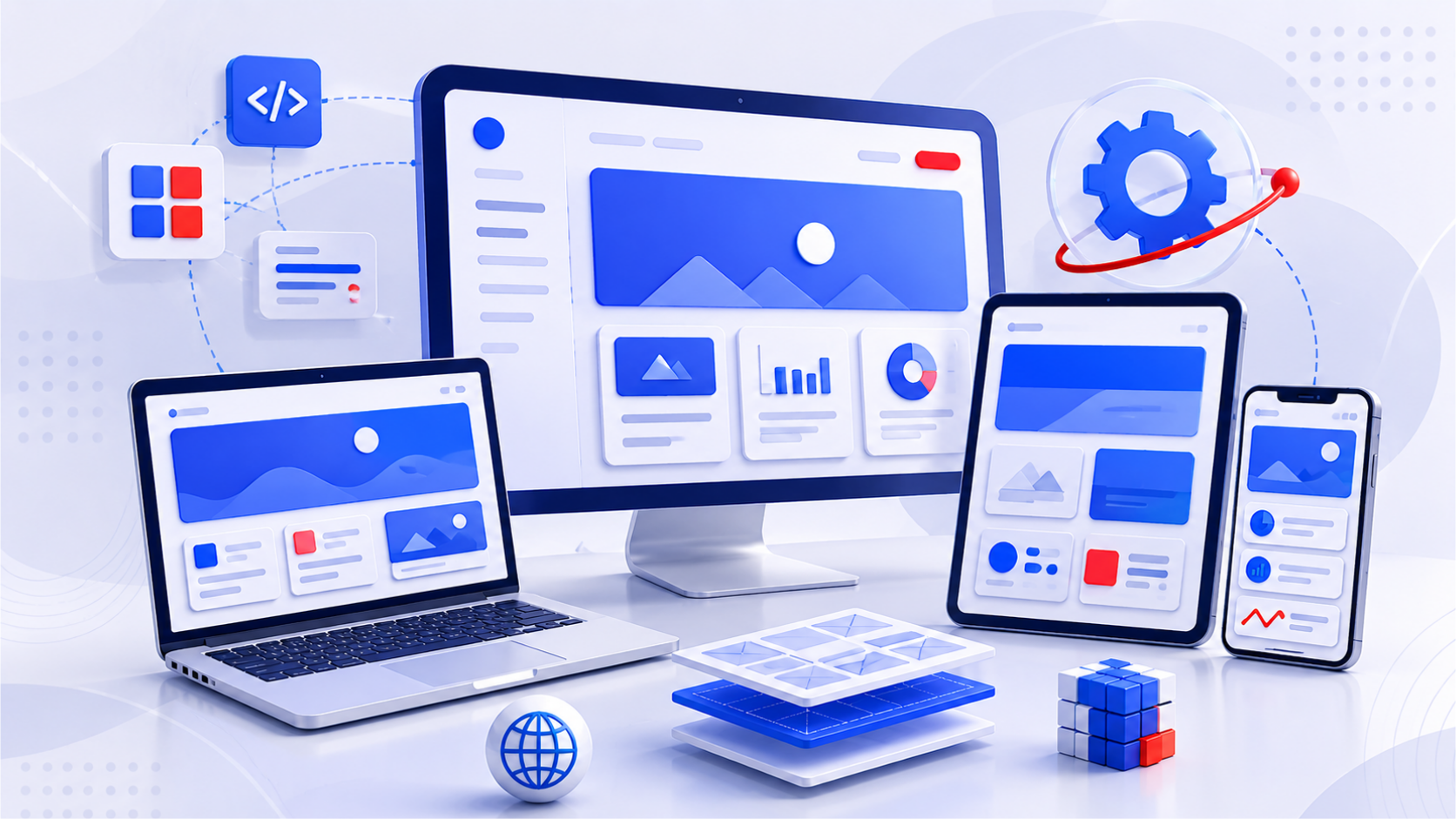
Your users are switching between a phone, a tablet, and a desktop in the same hour. If your web app doesn't adapt to all three, you've already lost them.
Responsive web design frameworks are the infrastructure that makes that adaptation possible — the grid systems, component libraries, and utility sets that let your front end flex across screen sizes without breaking. Choosing the wrong one slows down development, creates inconsistencies, and gives your team a maintenance headache that compounds over time.
This post covers the top 10 responsive web design frameworks in 2026 — what each one is best for, where it falls short, and which type of team or product it actually suits.
Key Takeaways
- Bootstrap remains the most adopted responsive CSS framework, but Tailwind CSS is the fastest-growing challenger for utility-first development teams.
- The right framework depends on your product type, team size, and how much design system flexibility you need.
- Lightweight frameworks like Bulma and Milligram are better choices when Core Web Vitals scores matter more than component richness.
- AI-assisted design tools are integrating tightly with Tailwind CSS, making it increasingly attractive for modern, velocity-focused product teams.
- Every framework here supports mobile-first design — but mobile-first philosophy still has to come from your team, not just your tooling.
What "Responsive" Actually Requires From a Framework
When people talk about the best frontend frameworks 2026, they're really asking: which CSS frameworks for responsive design give you the most control with the least overhead? A framework earns the "responsive" label if it handles breakpoints, grid systems, and fluid layouts by default. But in 2026, that's the minimum bar — not the differentiator.
What actually separates strong frameworks from weak ones:
-
Core Web Vitals performance — Google's ranking signals measure load speed, visual stability, and interactivity. A bloated framework tanks your scores.
-
Accessibility by default — WCAG 2.2 compliance isn't optional for enterprise products. Frameworks that bake it in save you rework.
-
Design system compatibility — Can your team extend it into a custom design system without fighting the defaults?
-
Ecosystem maturity — Are there plugins, integrations, and community answers for the edge cases you'll inevitably hit?
Picking a framework solely on hype means inheriting someone else's trade-offs. Pick on fit.
10 Responsive Web Design Frameworks
1. Bootstrap 5+
Bootstrap is the most widely deployed responsive CSS framework on the planet — and there's a reason it's survived every "Bootstrap is dead" headline for the past decade.
Bootstrap 5+ removes the jQuery dependency, adds a utility API for deeper customisation, and ships with an improved responsive grid built on CSS Grid and Flexbox. Dark mode support is built in. The component library is comprehensive without needing third-party plugins for most use cases.
For enterprise teams managing multiple products across different development squads, Bootstrap's consistency is its biggest asset. Onboarding a new developer means they're already familiar. The documentation is thorough. The community is enormous.
The trade-off is bundle size. Bootstrap isn't lightweight, and without careful tree-shaking and purging unused CSS, it can drag Core Web Vitals scores. For performance-critical projects, you'll need to be deliberate about what you include.
-
Largest ecosystem of plugins, templates, and third-party extensions
-
Comprehensive documentation and community support
-
Stable, predictable upgrade path for enterprise codebases
-
Built-in dark mode and accessibility features
Best for: Large engineering teams building enterprise-grade web apps, internal tools, and B2B platforms where consistency matters more than bundle minimalism.
2. Tailwind CSS
Tailwind CSS has become the dominant alternative to component-based frameworks — and it's not slowing down. Its utility-first approach means you style directly in your HTML using atomic classes, which eliminates the context-switching between markup and stylesheets.
What makes Tailwind particularly powerful in 2026 is its integration with AI-assisted design tools. Copilot-style tooling generates Tailwind-compatible layouts from natural language prompts, and design-to-code tools like Figma plugins export directly to Tailwind classes. For teams building design systems at scale, Tailwind's configuration file becomes the single source of truth for tokens, spacing, and colour.
The honest critique: Tailwind has a steep learning curve for developers accustomed to semantic CSS. HTML files with 40-class element strings look chaotic at first. And without discipline around component abstraction, you can end up with the same utility string repeated 300 times.
-
Utility-first approach eliminates unused CSS through PurgeCSS integration
-
Excellent for teams maintaining a custom design system
-
Integrates naturally with React, Vue, and Next.js workflows
-
Active AI tooling ecosystem built around Tailwind class syntax
Best for: Product teams that prioritise design consistency and development velocity, particularly those building SaaS frontends or component libraries.
3. Foundation by Zurb
Foundation was designed for enterprises that can't afford to get accessibility wrong. Healthcare portals, government applications, financial platforms — anywhere WCAG 2.2 compliance is mandatory, Foundation starts ahead of the curve.
Its modular architecture lets you include only the components you need, which keeps bundle size manageable. Unlike Bootstrap, Foundation also includes responsive email templates, making it a useful choice for organisations that need design consistency across web and email channels.
The community is smaller than Bootstrap or Tailwind, which means fewer third-party plugins and fewer Stack Overflow answers when you hit an edge case. But for compliance-heavy projects, the built-in accessibility foundation saves significant rework.
-
WCAG-compliant components out of the box
-
Modular — include only what you need
-
Responsive email support alongside web design
-
Strong fit for regulated industries
Best for: Enterprise teams in healthcare, insurance, and government where accessibility and compliance are non-negotiable requirements.
4. Bulma
Bulma is a Flexbox-based, open-source CSS framework that does one thing very well: it stays out of your way.
No JavaScript. No bundled components with complex state. Just a clean, modular CSS system that you can extend or strip down as needed. The result is a fast, lightweight framework that lets teams build responsive interfaces without inheriting a lot of framework opinions.
Statista data on developer CSS framework usage shows Bulma consistently ranking in the top five for lightweight options, particularly among teams building cloud-native micro frontends. Its growing extension ecosystem is adding capable community plugins that fill the gaps left by its minimal core.
-
Zero JavaScript dependency — pure CSS
-
Highly modular with an active extension community
-
Fast to implement for teams with existing JS patterns
-
Lightweight bundle compared to Bootstrap
Best for: Teams building cloud-native apps or progressive web apps where performance matters, particularly when you already have a JavaScript framework handling your interactivity.
5. UIkit
UIkit balances flexibility and structure well — it's neither as opinionated as Bootstrap nor as minimal as Bulma. Its mobile-first grid system, typography defaults, and ready-to-use components give teams a practical starting point without locking them into rigid design patterns.
In 2026, UIkit's strongest selling point is its clean integration with Vue and React. The JavaScript components are modular and can be used alongside framework-specific patterns without conflicts. For teams building hybrid applications that mix server-rendered and client-rendered views, UIkit fits naturally.
-
Modular JavaScript components with clean framework integration
-
Elegant, minimal design defaults
-
Mobile-first grid system
-
Good documentation for a mid-sized community
Best for: Teams building hybrid web applications that need a balance of ready-made components and design flexibility, without Bootstrap's footprint.
6. Materialize
If your product needs to look and feel like a Google product — polished, familiar, Material Design-compliant — Materialize gets you there quickly.
Built on Google's Material Design guidelines, Materialize ships with pre-styled components that are visually consistent and well-tested across devices. The grid system is responsive and reliable, and the component library covers most common UI patterns without needing custom work.
The limitation is design rigidity. Materialize's Material Design opinions are baked deep. Customising it heavily — different colour systems, non-standard component behaviour — means fighting the framework's defaults. Teams that need that level of design control are better served by Tailwind.
-
Material Design compliance out of the box
-
Strong visual consistency across components
-
Built-in responsive grid
-
Expanding accessibility and motion design features
Best for: Consumer-facing SaaS products, fintech apps, and retail platforms where Material Design's visual language aligns with your brand direction.
7. Shoelace
Shoelace takes a fundamentally different approach: it's built on web components, which means it's entirely framework-agnostic. It works with React, Vue, Angular, or no framework at all.
That makes Shoelace an unusually future-proof choice. If your tech stack changes — or if you're building a platform where different teams use different frameworks — Shoelace slots in without requiring a framework migration. Its accessibility standards are strong, and it integrates cleanly with headless CMS architectures.
The ecosystem is smaller, and the component library is less comprehensive than Bootstrap. But for forward-looking teams that expect their tech stack to evolve, Shoelace's web-component foundation is a genuine advantage.
-
Framework-agnostic — works with any JavaScript stack
-
Built on web component standards
-
Strong accessibility defaults
-
Good fit for headless CMS and design system projects
Best for: Teams with heterogeneous tech stacks, or those building platform-level design systems that need to work across multiple framework contexts.
8. Metro 4 UI
Metro 4 UI is the framework for teams that need everything — hundreds of UI components, built-in AJAX support, responsive typography, and deep integration with modern JavaScript patterns.
For complex enterprise dashboards, ERP interfaces, and admin portals where feature density matters more than minimalism, Metro 4's out-of-the-box depth reduces the need for custom component work. It's performance-optimised for modern JS frameworks and ships with enough built-ins to serve most enterprise UI requirements without additional libraries.
The learning curve is real. Metro 4 is not where you start if you want something quick to prototype. But for teams building data-heavy, feature-dense applications, the depth pays off.
-
Hundreds of built-in UI components
-
AJAX support out of the box
-
Strong for data-heavy, dashboard-style applications
-
Optimised for modern JavaScript integration
Best for: Enterprise teams building internal tools, ERP systems, or admin dashboards where component richness matters more than lightweight delivery.
9. Blaze UI
Blaze UI does the job of a responsive framework with minimal ceremony. It covers the essentials — grids, buttons, cards, forms — and leaves the rest to you.
For teams building quick MVPs or lightweight platforms where time-to-first-demo matters, Blaze UI removes friction. There's no framework overhead, no opinionated JavaScript, and no component bloat. You get a responsive baseline and full creative freedom on top of it.
The ecosystem is smaller than the established players, and for complex enterprise applications, you'll find yourself extending significantly beyond Blaze's defaults. But for startups and early-stage product teams, that's often exactly what you want.
-
Minimal, unopinionated baseline
-
Fast to implement for early-stage projects
-
Clean foundation for custom design systems
-
No JavaScript dependency
Best for: Startups and product teams building MVPs or lightweight web applications who want a responsive foundation without a heavy framework's opinions.
10. Milligram
Milligram is 2KB gzipped. That's it.
For projects where every millisecond of load time is a conversion factor — landing pages, marketing sites, fintech flows, gaming interfaces — Milligram provides a minimal, clean responsive baseline without the overhead of larger frameworks.
The trade-off is obvious: there's no component library. You're building everything custom on top of Milligram's grid and typography defaults. Paired with AI-assisted development tools that generate clean, custom CSS, Milligram becomes a surprisingly capable foundation for performance-obsessed teams.
-
2KB gzipped — smallest footprint on this list
-
Clean, minimal defaults
-
No JavaScript dependency
-
Excellent for performance-critical landing pages
Best for: High-performance landing pages, marketing sites, and applications in industries (fintech, gaming) where load time directly impacts conversion rates.
How to Choose the Right Responsive Web Design Framework
There's no universal "best" framework — only the best fit for your product, team, and constraints.
-
Team size and familiarity: The Bootstrap vs Tailwind decision comes down to this — Bootstrap wins in large teams that need consistent, familiar patterns. Tailwind wins with smaller, design-focused teams that can enforce discipline.
-
Performance requirements: If Core Web Vitals scores drive your SEO and UX strategy, lean lightweight: Bulma, Milligram, or Blaze UI.
-
Accessibility obligations: Foundation is the clear choice for regulated industries. Shoelace is strong for newer projects.
-
Design system ambitions: Tailwind CSS is the best foundation for building and maintaining a custom design system.
-
Tech stack longevity: If your framework mix is uncertain or likely to change, Shoelace's web component approach pays off long-term.
-
Application complexity: Feature-dense enterprise apps (dashboards, ERPs) benefit from Metro 4 UI's depth. Consumer-facing apps benefit from Materialize or Bootstrap's visual polish.
Let's Sum Up!
Choosing a responsive web design framework is a technical decision that compounds over time. A heavyweight framework chosen for its component library becomes a performance liability three years later. A minimal framework chosen for speed becomes a bottleneck when your design system grows.
The best frameworks in 2026 — Tailwind, Bootstrap 5, Foundation, Shoelace — all take meaningfully different positions on the same trade-offs. The right one is the one that aligns with how your team actually works, not the one with the most GitHub stars.
At Classic Informatics, we've helped product teams across AI-first SaaS, enterprise platforms, and digital modernisation projects make exactly these kinds of front-end architecture decisions. Whether you're starting fresh or standardising across a distributed web development team, we can help you choose and implement a framework that scales. Talk to our product engineering team when you're ready.

FAQS

Frequently Asked Questions
Bootstrap 5+ and Tailwind CSS lead the field in 2026. Bootstrap suits large teams needing a mature component ecosystem. Tailwind suits teams that prioritise utility-first development and design system consistency. Foundation is the top choice when WCAG accessibility compliance is mandatory. The best framework depends on your team's workflow, not popularity.